
How to Stream Free TV Channels Worldwide on the VLC App
 Dan Mwadime — January 10, 2026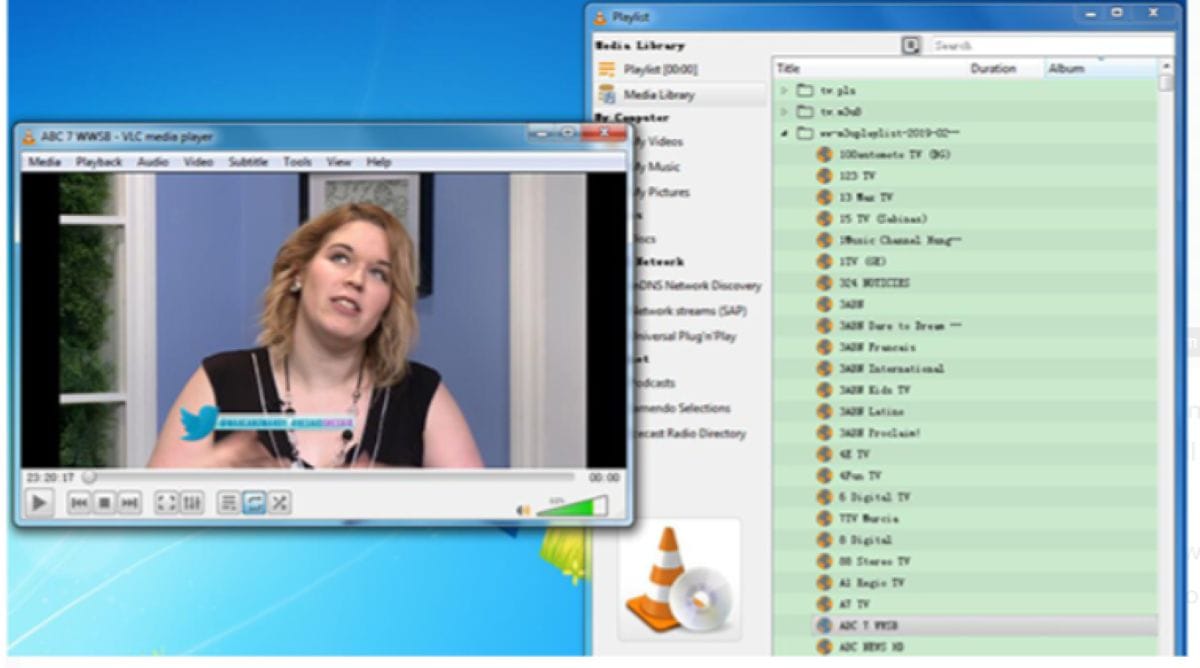
Many people in Kenya and elsewhere search for ways to stream free TV channels on the VLC app. This free method uses public IPTV playlists to watch live channels without paying for cable or subscriptions. It works well in 2026, though streams can sometimes stop or buffer depending on the source.
VLC media player is a free, open-source tool that plays videos, music, and live streams. Millions use it on computers, phones, and tablets. It handles IPTV playlists easily. One popular option comes from the iptv-org project on GitHub. This collection gathers publicly available live TV streams from around the world. The streams are meant to be free and open. The project stays active with regular updates.
The main playlist link is https://iptv-org.github.io/iptv/index.m3u. It includes thousands of channels. For viewers in Kenya, a better choice is the country-specific one: https://iptv-org.github.io/iptv/countries/ke.m3u. This smaller list focuses on local channels like NTV Kenya, Citizen TV, KTN, and others that are publicly broadcast.
These Kenyan channels often appear in the list when they have public streams. Availability changes over time as broadcasters update their links.
Here is a simple step-by-step guide to get started on a computer.
First, download VLC from the official website at videolan.org. Avoid other sites to stay safe from fake versions. Install it like any program.
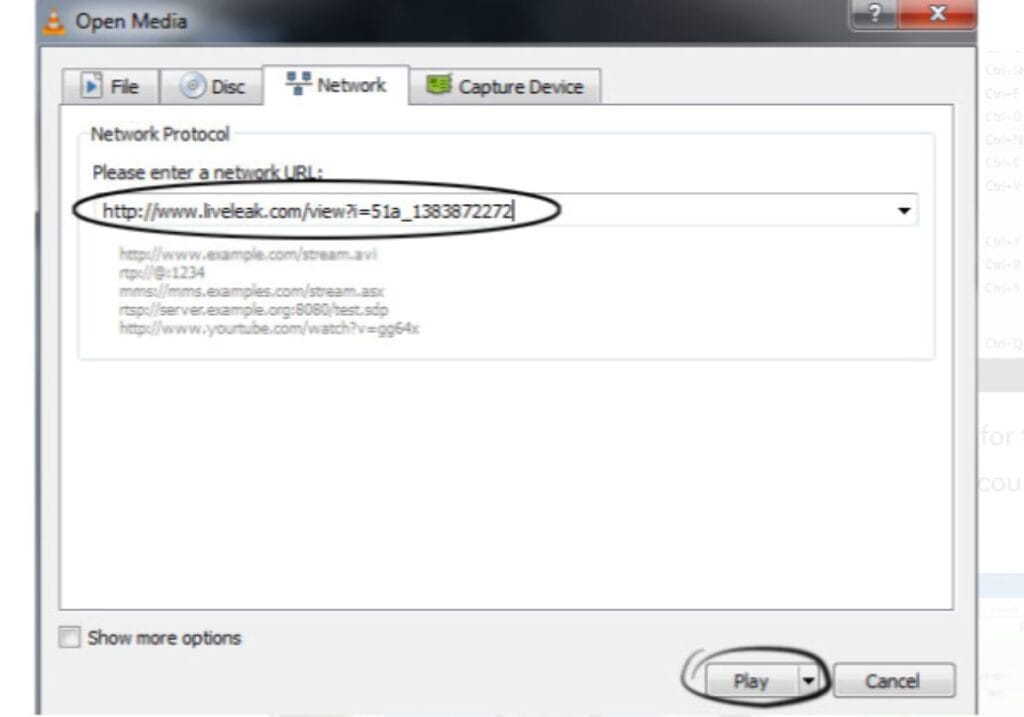
Open VLC. On the top menu, click Media. Then choose Open Network Stream. A box will pop up asking for a URL.

Paste in the playlist link. For all channels, use https://iptv-org.github.io/iptv/index.m3u. For Kenyan ones, try https://iptv-org.github.io/iptv/countries/ke.m3u first. Click Play.
VLC will start loading the playlist. It might take a minute or two, especially for the big one. Once loaded, press Ctrl+L to see the playlist view. Channels are grouped by category or country. Scroll through, and double-click one to start watching.
On the VLC app for Android or iOS, the steps are similar. Open the app. Tap the cone icon or go to ‘More’ at the bottom. Select New Stream. Paste the link and tap the play button. The channels will show up in the sidebar for you to pick.
A few things to keep in mind. Not every channel works all the time. Some streams go down if the original broadcaster changes things. If one does not play, try another. The full playlist has many options, from news to sports and entertainment. You can find BBC, Al Jazeera, or local African channels.
This method is free and does not need sign-ups. Just a good internet connection. In Kenya, where data costs matter, it helps to watch local news or shows without extra fees.
People should stick to public streams. The iptv-org list only includes links meant to be open. Still, check your local laws about streaming. Most of these are like watching free-to-air TV online.
If the main list feels too big and slows VLC, stick to the Kenya one. Or look for other categories like news or sports on the GitHub page.
Some users save the playlist to their device. Download the .m3u file from the link, then open it in VLC as a local file. That can load faster sometimes.
Troubleshooting is straightforward. If nothing plays, update VLC to the latest version. Clear the cache in settings if needed. Or restart the app.
Other free players work too, but VLC is reliable and available everywhere. It runs on Windows, Mac, Linux, Android, and iPhone.
This approach has helped people watch TV affordably for years. As long as the public streams exist, it remains an option. Just remember streams come and go. Check the GitHub repo now and then for updates.
For Kenyan viewers wanting local content, starting with the ke.m3u link makes sense. It cuts down the wait and gets you to familiar channels quicker. Overall, setting this up takes just a few minutes. Once done, you have access to plenty of live TV for free. Do not forget to comment below for any problem or update.
Related Posts

Sony Ends Physical PlayStation Discs Starting January 2028
Sony Interactive Entertainment drops a major update that shakes the gaming world as PlayStation Digital Only takes over for all new titles from January 2028.…

Khalif Kairo Launches Uber for Plane Bookings in Kenya
Khalif Kairo just rolled out a sleek private plane booking platform that lets travellers in Kenya summon flights with a few taps on their phones.…

PUBG Mobile & Infinix Ignite Kenya Varsity Showdown With $1,000 Prize Pool…
Nairobi, Kenya – PUBG MOBILE and Infinix have officially announced the launch of the PUBG MOBILE Varsity Showdown (PMVS), a nationwide university esports tournament designed…
Nairobi PayPal Loading Scam BANS Hundreds of PayPal Accounts
The Nairobi PayPal loading scam has left hundreds of local accounts banned and their owners staring at huge negative balances they never expected. The trick…